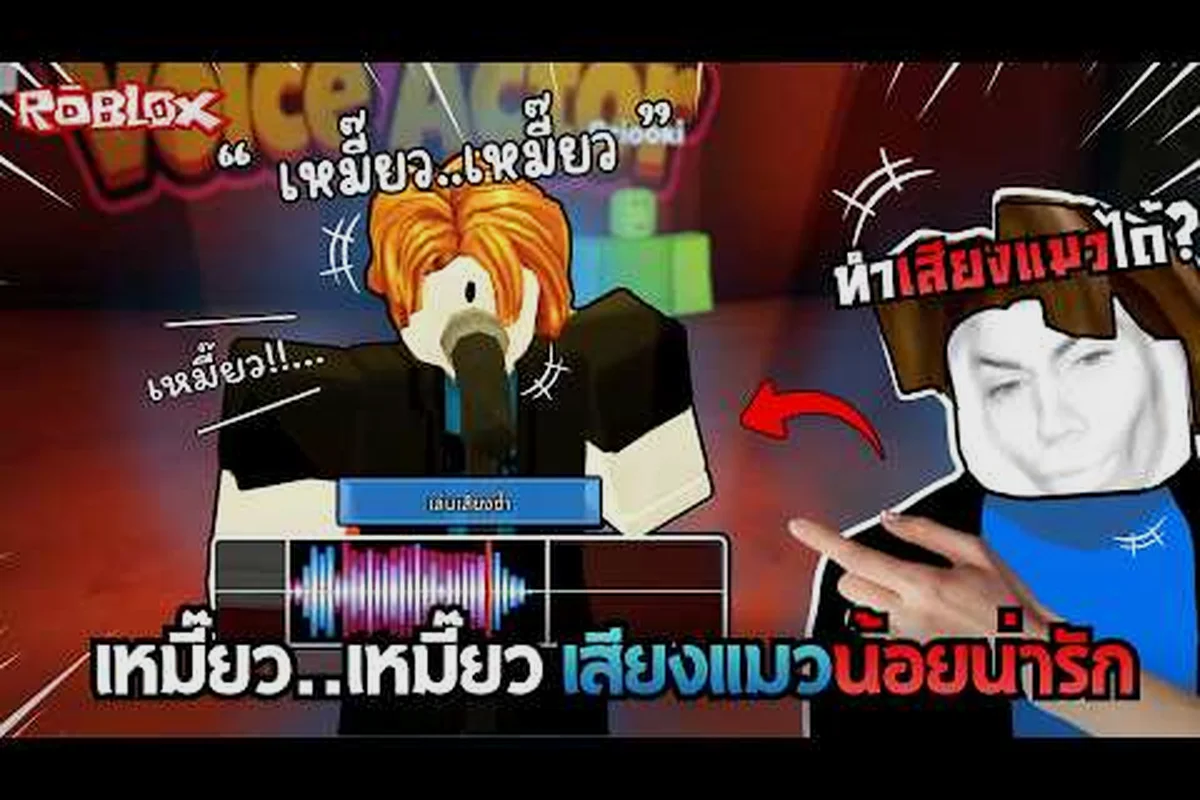
Be A Voice Actor turns a simple party-game premise into a surprisingly competitive scoring loop, but the entire experience hinges on one platform-level requirement: Be A Voice Actor voice chat must be active before you can even enter a judged round. The official Roblox listing states that voice chat is required to compete, which means players who skip platform verification are locked out of scoring entirely. Understanding this gate before you load in saves you from a frustrating first session spent staring at a lobby you cannot actually play.
How Be A Voice Actor Voice Chat Gates the Core Loop
The game's scoring system does not work without live microphone input. When you join a server, the experience checks whether your Roblox account has passed platform voice verification, and only verified accounts can participate in scoring rounds. The official listing on the Be A Voice Actor game page confirms that voice chat is required to compete, which is a stricter gate than most social experiences on the platform. Most Roblox voice-chat games treat the feature as optional, but here it is the entire scoring mechanism.
The reason for this hard requirement is straightforward: the game asks you to imitate sounds and earn points based on how closely your vocal performance matches a target. Without a live microphone feed, the scoring algorithm has nothing to evaluate. Players who join without verification can still walk around the lobby and watch others perform, but they cannot enter a round, submit a sound, or accumulate gems. This creates a clear split between spectators and competitors that the game does not explain until you attempt to queue.
| Access State | Can Enter Lobby | Can Watch Rounds | Can Compete | Can Earn Gems |
|---|---|---|---|---|
| No Roblox voice verification | Yes | Yes | No | No |
| Verified but mic muted | Yes | Yes | No | No |
| Verified with working mic | Yes | Yes | Yes | Yes |
| Verified on unsupported device | Yes | Yes | No | No |
The table above summarizes the four access states you will encounter. The most confusing one for new players is the second row: having voice verification on your account does not help if your microphone is muted at the system level. Roblox voice chat requires both account-level verification and device-level microphone permission, and the game cannot distinguish between the two failures. If you see the lobby but cannot start a round, check your device settings before assuming your account is broken.
Why the Official Listing Requires Verification
The requirement exists because the game's core mechanic is scoring vocal imitation. According to the official About text on the Roblox listing, the game asks players to "Imitate Popular Sounds" and "Gain The Highest Score," which means the scoring engine needs a clean audio feed to compare against reference clips. The developer, Frameworks, built the experience around this loop, and the official Roblox group confirms that updates and patch notes are distributed through the group wall rather than external channels.
Roblox enforces voice-chat eligibility at the platform level, not the game level. The Roblox's voice-enabled game browse page shows that voice-enabled experiences are only served to accounts that have passed platform verification. This means the answer to almost every accessibility question about this game starts outside the game itself: region availability, age verification, and the parental-control toggle all live in Roblox account settings, not in the experience. A player who can see voice-chat games in discovery but cannot hear anyone is usually failing one of these platform checks.
Platform Verification vs. Game Permission
There are two separate layers of permission, and new players frequently confuse them. Platform verification is the Roblox-wide check that confirms your account is old enough and verified enough to use spatial voice. Game permission is the in-experience toggle that lets the game access your microphone feed. Both must be active for Be A Voice Actor to work, but the game cannot fix a platform-level failure.
The most common failure point is age verification. Roblox requires users to be 13 or older and to complete an ID check before voice chat unlocks. Players under 13, or accounts without a verified ID, will never see the voice-chat toggle in their settings, which means Be A Voice Actor will always show them as spectators. This is not a bug in the game; it is a platform restriction that no experience can override.
What to Do When the Toggle Is Missing or Not Working
If you load into Be A Voice Actor and cannot find the voice-chat toggle, the problem is almost always in your Roblox account settings rather than the game itself. The toggle lives under Settings → Privacy → Voice Chat, and it only appears for accounts that have completed verification. If the toggle is missing entirely, your account has not passed the platform check, and no amount of in-game fiddling will fix it.
The second most common issue is a greyed-out toggle. This happens when your account is verified but your current device does not support Roblox voice chat. Some mobile devices and older hardware cannot process spatial audio, and Roblox disables the feature rather than letting you join a broken session. Switching to a supported device usually resolves this, though you may need to re-enable the toggle after each device swap.
| Symptom | Most Likely Cause | Fix |
|---|---|---|
| Toggle missing from settings | Account not age-verified | Complete Roblox ID verification |
| Toggle greyed out | Unsupported device | Switch to PC or supported mobile |
| Toggle on but no audio in game | Mic permission denied | Allow mic access in browser/OS |
| Audio works but cannot compete | Game-level permission off | Enable mic in game settings |
| Works in other games but not here | Server region mismatch | Rejoin a different server |
This table covers the five most common failure states reported by players. The fourth row is worth extra attention because it is unique to this game: Be A Voice Actor has its own in-experience microphone permission that is separate from the Roblox-wide toggle. Even if your platform voice chat works in other games, you must also grant the game access to your microphone when prompted. Dismissing that prompt silently locks you into spectator mode.
Device Support and Region Availability
Roblox voice chat is not available in every region, and the game inherits that restriction. Players in regions where spatial voice is disabled will not see the toggle regardless of their age or verification status. The platform maintains a list of supported regions that changes periodically, so a player who could use voice chat last month may lose access after a region policy update. This is outside the game's control and cannot be fixed by reinstalling or rejoining.
Device support is similarly uneven. Desktop players on Windows and macOS generally have the most reliable experience, while mobile support depends on the specific hardware and operating system version. The Roblox voice chat requirements guide covers the full matrix of supported devices and regions, including the exact settings path for each platform. Checking that guide before troubleshooting the game itself saves a lot of wasted time.
Playing Without Voice Chat: What Is Actually Possible
The short answer is that you can load into the game without voice chat, but you cannot compete. The lobby, the leaderboard, and the spectator view are all accessible to unverified accounts, which means you can watch other players perform and learn the scoring patterns before you commit to verification. Some players use this as a low-stakes way to understand the game's rhythm, though it is a fundamentally passive experience.
The longer answer depends on what you mean by "without voice chat." If you mean without a microphone, the game is unplayable in any competitive sense because the scoring engine requires live audio input. If you mean without platform verification, you can still access the lobby but nothing else. The distinction matters because some players assume a muted mic is the same as no voice chat, when in fact the game treats them as different failure states.
| Play Style | Requires Verification | Requires Microphone | Can Earn Score |
|---|---|---|---|
| Full competitor | Yes | Yes | Yes |
| Spectator only | No | No | No |
| Practice mode (solo) | Yes | Yes | Partial |
| Lobby observer | No | No | No |
The table above clarifies the four play styles available. Practice mode is the most interesting option for players who want to test their vocal range without the pressure of a public lobby, but it still requires both verification and a working microphone. There is no way to practice scoring without a mic because the scoring algorithm is the mic input itself.
The Spectator Experience in Detail
Watching other players perform is more useful than it sounds. The game cycles through short rounds where one player imitates a sound while others watch, and the scoring feedback appears in real time. Spectators can study which sounds score highest, how the timing works, and what the reference clips sound like before they ever speak. This is the closest thing to a tutorial the game offers, and it costs nothing to access.
However, the spectator experience has a hard ceiling. You cannot earn gems, cannot climb the leaderboard, and cannot unlock any of the special gamepasses that the official listing mentions. The game is designed around active participation, and the passive mode is clearly intended as a preview rather than a full play style. If you plan to spend more than a few minutes in the game, verification is not optional.
Voice Chat Alternatives and Workarounds
There is no legitimate voice chat alternative for Be A Voice Actor because the scoring engine requires live microphone input. Some players have experimented with pre-recorded audio played through a virtual microphone, but this violates Roblox's terms of service and usually results in a ban. The game's anti-cheat systems are designed to detect non-live audio, and the risk is not worth the temporary score boost.
The only real alternative is to use a different device or account that meets the verification requirements. Some families share a verified account for voice-chat games, though this creates its own problems with progress saving and leaderboard identity. The game auto-saves progress and gems between sessions, so sharing an account means sharing a single progression track.
| Approach | Legitimate | Risk Level | Effectiveness |
|---|---|---|---|
| Complete platform verification | Yes | None | Full access |
| Use a supported device | Yes | None | Full access |
| Pre-recorded audio via virtual mic | No | High (ban risk) | Temporary |
| Share a verified account | Grey area | Medium | Full but shared |
| Play as spectator | Yes | None | No scoring |
The table above summarizes every approach players have tried. The first two rows are the only legitimate paths to full access, and they are also the only ones that survive a platform policy update. The third row is explicitly against Roblox's rules, and the fourth creates account-security risks that most players do not consider until it is too late.
Why Pre-Recorded Audio Fails
The scoring algorithm in Be A Voice Actor is designed to evaluate live vocal performance, not just audio content. It checks for timing, pitch variation, and the natural imperfections that come from speaking in real time. Pre-recorded audio lacks these markers, and the game's anti-cheat systems flag it quickly. Players who attempt this workaround usually find themselves banned within a few rounds, losing all their accumulated gems in the process.
The more practical workaround is to improve your microphone setup so that live performance is easier. The microphone setup guide covers mic sensitivity, background noise reduction, and voice-changer options that are allowed within Roblox's rules. A clean audio feed scores higher than a noisy one, and the difference is often larger than the difference between a good and bad vocal performance.
How to Enable Voice Chat for Be A Voice Actor
Enabling voice chat for this game is a three-step process that starts outside the game. First, you must complete Roblox age verification by submitting a government ID through the platform's verification portal. This unlocks the voice-chat toggle in your account settings. Second, you must enable the toggle under Settings → Privacy → Voice Chat and confirm that your device supports spatial audio. Third, you must grant the game microphone permission when prompted after joining a server.
The verification process takes anywhere from a few minutes to a few days depending on your region and the volume of pending checks. Roblox does not process verifications instantly, and some players report waiting up to 48 hours during peak periods. The voice chat fix guide covers the full verification flow, including what to do when the ID check fails or the toggle does not appear after approval.
Step-by-Step Verification Flow
The verification flow has more steps than most players expect, and skipping any one of them leaves you locked out. The process is:
-
Complete the Roblox age verification with a government-issued ID
-
Wait for the verification confirmation email or in-app notification
-
Navigate to Settings → Privacy → Voice Chat and enable the toggle
-
Restart the Roblox client to apply the change
-
Join Be A Voice Actor and accept the microphone permission prompt
-
Test your mic in the game's audio settings before entering a round
Each step must be completed in order, and the game will not prompt you to fix a missed step. If you enable the toggle but skip the client restart, the game may still show you as unverified. If you accept the mic prompt but your OS-level permission is denied, the game will treat you as muted. The failure states are silent, which is why so many players assume the game is broken when it is actually a settings issue.
Common Verification Pitfalls
The most common pitfall is attempting verification on an account that is under 13. Roblox does not allow voice chat for users under 13 under any circumstances, and no amount of ID submission will change that. The second most common pitfall is using a parent-managed account where the parent has disabled voice chat through parental controls. Even a verified 13+ account will be locked out if a parent has toggled the feature off.
The third pitfall is region availability. Some regions do not support Roblox voice chat at all, and players in those regions will never see the toggle regardless of their verification status. The platform publishes a list of supported regions that changes periodically, so a player who could use voice chat last month may lose access after a policy update. This is outside the game's control and cannot be fixed by reinstalling or rejoining.
Frequently Asked Questions
Is Be A Voice Actor voice chat required to play?
Yes, the official Roblox listing states that voice chat is required to compete. You can load into the lobby and watch other players without verification, but you cannot enter a scoring round, submit a sound, or earn gems. The game treats unverified accounts as spectators only.
How do I enable voice chat for Be A Voice Actor?
Complete Roblox age verification with a government ID, then enable the toggle under Settings → Privacy → Voice Chat. Restart the client, join the game, and accept the microphone permission prompt. Test your mic in the game's audio settings before entering a round.
Why is my voice chat toggle missing or greyed out?
A missing toggle means your account has not passed platform verification, usually due to age or region restrictions. A greyed-out toggle means your current device does not support Roblox spatial voice. Switch to a supported device and re-enable the toggle after the swap.
Can I play Be A Voice Actor without a mic?
No, the scoring engine requires live microphone input to evaluate your vocal performance. You can spectate without a mic, but you cannot compete, earn gems, or climb the leaderboard. There is no legitimate workaround that bypasses the microphone requirement.
Is there a voice chat alternative for this game?
No legitimate alternative exists because the scoring algorithm needs live audio. Pre-recorded audio played through a virtual microphone violates Roblox's terms and usually results in a ban. The only valid paths are completing verification and using a supported device with a working mic.